

Role of Multi-Device Chargers in Modern Travel
Juggling an iPhone, iPad, Apple Watch, and AirPods on the go can leave you hunting for crowded outlets or tangled cables everywhere from London to Singapore. Multi-device chargers offer a smarter solution, merging sleek design and universal compatibility with features like USB-C Power Delivery and MagSafe support. Whether you are a frequent flyer or city commuter, understanding smart power allocation and actual compatibility helps avoid slow charging, keeps your devices safe, and brings effortless charging to any global destination.
Table of Contents
- Multi-device Chargers Explained And Common Myths
- How Multi-device Chargers Actually Work
- Myths That Confuse Travellers
- Selecting The Right Charger For Your Travel Needs
- Key Types And Compatibility Distinctions
- Understanding Port Types And Their Actual Impact
- Charging Speed Protocols And Compatibility Challenges
- Selecting Chargers That Actually Work Across Your Devices
- Essential Features For Apple Device Users
- Critical Specifications For Apple Device Charging
- Choosing Between Wired And Wireless Charging Stations
- Power Output And Simultaneous Device Considerations
- Multi-device Charging Scenarios For Travellers
- Scenario 1: Frequent Short-haul Business Travel
- Scenario 2: Extended Backpacking And Budget Travel
- Scenario 3: Nomadic Working And Extended Stays
- Scenario 4: Unexpected Situations And Contingencies
- Safety Considerations And Common Pitfalls
- Understanding Certified Protection Systems
- Common Pitfalls That Compromise Safety
- Specific Practices For Travel Safety
Key Takeaways
| Point | Details |
|---|---|
| Multi-device chargers simplify travel | They consolidate multiple chargers into one device, making it easier to charge several gadgets at once. |
| Smart power allocation is crucial | The best chargers adjust power distribution based on each device’s needs, preventing slow charging. |
| Compatibility matters | Ensure your charger supports the necessary port types and fast charging protocols for your devices. |
| Prioritise safety certifications | Opt for chargers with recognised safety certifications to protect your devices from power-related damage. |
Multi-device chargers explained and common myths
A multi-device charger is simply a power adapter with multiple USB ports—or a combination of USB and proprietary connectors—that allows you to charge several devices simultaneously. If you’re someone who travels with an iPhone, iPad, smartwatch, and wireless earbuds, you’ve probably felt the frustration of hunting for multiple outlets or carrying separate chargers. A quality multi-device charger consolidates all of this into one compact unit that fits easily into your carry-on.
However, the way these chargers distribute power isn’t as straightforward as it might seem. Understanding power distribution among ports is critical because not all chargers handle multiple devices the same way. Some chargers use static power distribution, meaning each port gets a fixed output regardless of what’s plugged in. Others use priority-based systems where one port dominates. The best ones use smart power allocation, which dynamically adjusts output based on each device’s actual charging needs. This prevents scenarios where your phone charges slowly because your tablet is drawing most of the power.
How multi-device chargers actually work
Most modern multi-device chargers feature intelligent chip technology that monitors connected devices in real time. When you plug in your iPhone and iPad simultaneously, the charger detects both devices, recognises their power requirements, and distributes available wattage accordingly. Your iPhone might need 20W whilst your iPad benefits from 35W, so a smart charger with 65W total capacity allocates power optimally rather than splitting everything evenly.
Here’s what separates capable chargers from mediocre ones:
- Smart allocation adjusts power dynamically as you connect or disconnect devices
- Temperature monitoring prevents overheating by throttling power when needed
- Voltage regulation ensures each device receives the correct input voltage
- Safety certification protects against surges and short circuits
Understanding your charger’s total wattage and distribution method prevents poor charging performance and keeps your devices safe from power-related damage.
Myths that confuse travellers
One persistent myth is that using a multi-device charger will damage your battery. This simply isn’t true if the charger is reputable and uses proper voltage regulation. Your device’s internal circuitry controls how much power it actually accepts—the charger can’t force excess current through. Another common misconception is that all multi-device chargers slow down charging speeds. In reality, a 65W charger with smart distribution can charge your devices faster than carrying three separate chargers, because you’re not bottlenecked by a 10W phone charger.
Travellers also mistakenly believe they need a separate charger for each device type. Modern multi-device chargers work across Apple, Android, and countless other devices because they support universal standards like USB-C, which has become the industry standard. The real consideration isn’t device type—it’s total wattage. A charger rated for 30W cannot safely charge multiple high-demand devices simultaneously, no matter how intelligent its chip is.
Selecting the right charger for your travel needs
When choosing a multi-device charger, consider three factors: the total wattage available, the number of ports, and whether it supports fast charging standards for your devices. If you’re carrying an iPhone, iPad, and laptop, you’ll want at least 65W to 100W total capacity. For Apple device users specifically, prioritising chargers with multiple USB-C ports gives you flexibility since newer iPhones, iPads, and MacBooks all use USB-C for charging.
The most common mistake travellers make is buying an underpowered charger then wondering why their devices charge slowly. A 30W charger marketed as “multi-device” might handle two phones adequately but will struggle with tablets or laptops. You also want a charger compact enough to justify carrying it—if it’s larger than your existing chargers combined, it defeats the purpose of simplifying your travel setup.
Pro tip: Check your devices’ total power requirements before purchasing: add up the wattage each device needs for optimal charging, then choose a charger rated 20-30% higher than that total to avoid throttling when all devices charge simultaneously.
Key types and compatibility distinctions
The charger in your bag isn’t just “a charger”—it’s actually a combination of specific port types, connector standards, and power protocols working together. When you’re shopping for a multi-device charger, understanding what these components do matters far more than the marketing language on the packaging. Different devices expect different things from their chargers, and a mismatch between your charger’s capabilities and your device’s requirements creates frustrating charging experiences during travel.
Multi-device chargers typically feature a mix of USB-A ports, USB-C ports, and sometimes Micro-USB connectors to handle the wide range of devices in your travel bag. USB-A ports are the older, rectangular connectors found on older Android devices, power banks, and some tablets. USB-C has become the modern standard because it supports higher power delivery, charges faster, and works with newer iPhones, iPads, and most contemporary Android devices. Micro-USB still appears on older devices, though it’s gradually disappearing from the market. The real advantage of owning a quality multi-device charger is that it covers all three standards, meaning you’re future-proofed against whatever devices you own now and whatever you’ll buy next year.
Understanding port types and their actual impact
Different port types significantly affect both charging speed and user convenience. A USB-A port can deliver up to 18W on its own, whilst a single USB-C port using Power Delivery standards can deliver 65W or more. This matters because if you’re trying to charge a laptop alongside your phone, you need USB-C ports to make it happen effectively. A charger with only USB-A ports simply can’t deliver the wattage modern laptops require.
Here’s how different port types compare:
- USB-A ports work with older devices and many accessories, but max out at lower wattage
- USB-C ports support Power Delivery for fast charging of phones, tablets, and laptops simultaneously
- Micro-USB ports cover legacy devices, though they’re becoming obsolete
- Lightning connectors (proprietary Apple standard) appear on older iPhones and iPads, though newer models switched to USB-C
Charging speed protocols and compatibility challenges
Charging speed isn’t just about raw wattage. It also depends on the protocols your charger supports—essentially the “languages” it uses to communicate with your devices. Quick Charge (primarily Android devices), Power Delivery (universal standard used by Apple and Android), and various manufacturer-specific protocols all affect how fast your devices actually charge.
This is where compatibility gets tricky. An older iPhone won’t benefit from ultra-fast Power Delivery charging because Apple limited it to lower speeds on those models. Your Samsung Galaxy might support Quick Charge 5.0, but a charger only featuring Power Delivery won’t activate that faster charging speed. When selecting a multi-device charger, you need one that supports multiple protocols simultaneously—not just “one best protocol.”
Fast charging standards vary significantly by manufacturer, affecting both device compatibility and overall charging speed. Wireless charging complicates matters further because it operates via electromagnetic induction rather than wired connections, and it’s universally slower than wired charging despite its convenience. If your travel style includes wireless charging for your smartwatch or earbuds, look for chargers offering integrated wireless pads rather than relying entirely on wired ports.
This reference outlines popular charging protocols and their device compatibility at a glance:
| Protocol | Typical Devices Supported | Maximum Wattage | Charging Benefit |
|---|---|---|---|
| USB Power Delivery | Modern iPhones, iPads, laptops | Up to 100W | Universal fast charging |
| Quick Charge | Android Phones (various brands) | Up to 36W | Rapid Android charging |
| MagSafe/Qi2 | New iPhones, AirPods, Watches | 15W (MagSafe) | Effortless wireless |
| Standard USB-A | Older devices, accessories | Up to 18W | Basic compatibility |
Selecting chargers that actually work across your devices
The best multi-device chargers balance three elements: variety of port types, sufficient total wattage, and support for multiple fast charging protocols simultaneously. Don’t just count ports—check what those ports actually support. A charger with three USB-A ports and no USB-C ports looks impressive until you try charging your iPad Pro and discover it’s moving at a snail’s pace.
When evaluating chargers, consider your specific device ecosystem:
- List every device you travel with and its charging requirements
- Identify which ports each device uses (USB-C, USB-A, Lightning, Micro-USB)
- Check whether your devices support specific fast charging protocols
- Choose a charger with USB-C ports as the primary option (future-proof)
- Verify the total wattage can handle your highest-demand devices simultaneously
A multi-device charger that lacks USB-C in 2024 is fundamentally limiting your ability to charge modern devices efficiently, no matter how many USB-A ports it includes.
Apple device users benefit most from chargers with multiple USB-C ports, since every current iPhone, iPad, and MacBook model uses USB-C exclusively. If you’re mixing Apple with Android devices, ensure your charger has at least two USB-C ports plus additional ports for other device types. This prevents situations where your iPhone and iPad compete for the single fast-charging port whilst your Android phone charges slowly on a legacy USB-A connection.
Pro tip: Before purchasing any multi-device charger, photograph your device charging cables and connector types, then cross-reference them against the charger’s port specifications—this five-minute verification prevents buying incompatible chargers and wasting money.
Essential features for Apple device users
If you’re an Apple user juggling an iPhone, iPad, Apple Watch, and AirPods, you already know the frustration of managing multiple charging cables scattered across your desk or packed throughout your luggage. A genuinely useful multi-device charger for your Apple ecosystem isn’t just about having multiple ports—it’s about having the right ports with the right capabilities. Apple devices have specific power delivery requirements, wireless charging standards, and design expectations that separate adequate chargers from ones that actually belong in your travel kit.
The foundation of any Apple-optimised multi-device charger is USB-C Power Delivery support. Every current iPhone (iPhone 15 and later), iPad, and MacBook exclusively uses USB-C, making this the non-negotiable feature. However, not all USB-C chargers are created equal. You need one that delivers sufficient wattage—at least 20W for iPhones, 30W for iPad Air models, and 65W or higher if you’re charging a MacBook simultaneously. The charger should intelligently distribute power across multiple ports so your iPhone and iPad don’t compete for charging priority, and your watch doesn’t languish at a trickle charge whilst heavier devices demand bandwidth.
Beyond wired charging, MagSafe compatibility has become increasingly important for Apple users. MagSafe adds magnetic alignment to your charging experience, making it virtually impossible to misalign your iPhone on a wireless charger. It’s particularly valuable during travel when you might be charging in a moving train or aeroplane where proper alignment matters. The latest charging standards like Qi2 ensure your devices charge wirelessly without overheating—a critical feature when you’re stacking multiple devices on a compact charger during long journeys.
Critical specifications for Apple device charging
When evaluating a multi-device charger, these features directly impact your travel experience:
- Multiple USB-C ports enable simultaneous charging of iPhone, iPad, and MacBook without bottlenecking
- Temperature regulation systems prevent overheating when multiple high-power devices charge together
- Overcharge protection keeps your expensive devices safe from power surges
- Compact, sleek design that matches Apple’s aesthetic and fits in your carry-on
- Fast charging protocols optimised for Apple devices (not just generic Power Delivery)
A multi-device charger lacking temperature monitoring and overcharge protection might save you £20 upfront, but a single damaged iPhone battery costs £80 to replace.
Choosing between wired and wireless charging stations
Apple users face a choice between traditional wired multi-port chargers and integrated charging stations that combine wired and wireless capabilities. Wired chargers are faster and more versatile—your iPad charges substantially quicker through USB-C than any wireless standard. However, integrated charging stations eliminate cable clutter and look significantly more polished on a desk or nightstand, which matters if you travel frequently and want a permanent charging solution in your hotel room or office.
3-in-1 or 4-in-1 charging stations designed specifically for Apple devices represent a modern compromise. They typically feature a combination of wired USB-C ports for rapid iPhone and iPad charging alongside wireless pads for your Apple Watch and AirPods. These stations support the latest Qi2 and MagSafe standards, ensuring reliable wireless charging without the constant worry about proper alignment or device overheating. The trade-off is portability—integrated stations are bulkier than compact multi-port chargers, making them better suited for stationary travel situations (hotel stays, office desks) rather than backpacking.
Power output and simultaneous device considerations
The absolute critical factor Apple users overlook is total available wattage when multiple devices charge simultaneously. Imagine this scenario: you’re at an airport with two hours before your flight, your iPhone is at 15%, your iPad at 20%, and your Apple Watch dead. You plug all three into a 30W charger expecting everything to charge reasonably fast. Instead, your iPhone monopolises 20W, your iPad crawls at 5W, and your watch barely trickles at 5W. You board the plane with a still-weak iPad battery.

This happens because chargers distribute power based on demand, not fairness. A better solution uses a 65W or 100W charger with intelligent allocation that recognises you have three devices needing power and distributes accordingly. Your iPhone gets what it needs (20W), your iPad gets what benefits it most (30W), and your watch charges optimally (15W) without anyone waiting.
Consider your actual travel patterns before purchasing:
- Do you travel with a MacBook? If yes, you need at least 65W and multiple USB-C ports
- Do you need simultaneous iPhone and iPad charging during travel? Plan for 50W+ minimum
- Are you comfortable with smaller, lighter chargers, or do you value desk aesthetics?
- How often do you stay in hotels versus camping or backpacking?
Calculate your total device wattage requirements, then select a charger rated 20–30% higher than that total to ensure confident, simultaneous charging without thermal throttling.
Apple’s own ecosystem creates advantages here. Since Apple controls both hardware and accessories, chargers specifically optimised for Apple devices often communicate more intelligently with your iPhone, iPad, and watch than generic chargers. This doesn’t mean you must buy Apple-branded chargers—third-party manufacturers like Charg-R produce excellent alternatives that respect Apple’s Power Delivery standards whilst offering better value and more flexible port combinations.
Pro tip: Before travelling, test your charger setup at home with all devices simultaneously charging—this reveals real-world power distribution and prevents discovering limitations whilst at an airport or in a foreign hotel.
Multi-device charging scenarios for travellers
Real travel rarely follows a predictable pattern. One moment you’re at a departure gate with a 90-minute layover and three devices sitting at 30% battery. The next, you’re on an overnight train with limited power access and six hours before reaching your destination. Understanding different charging scenarios helps you select the right multi-device charger and pack your cables strategically. What works brilliantly for a weekend city break might fail spectacularly during a two-week backpacking trip across Southeast Asia.
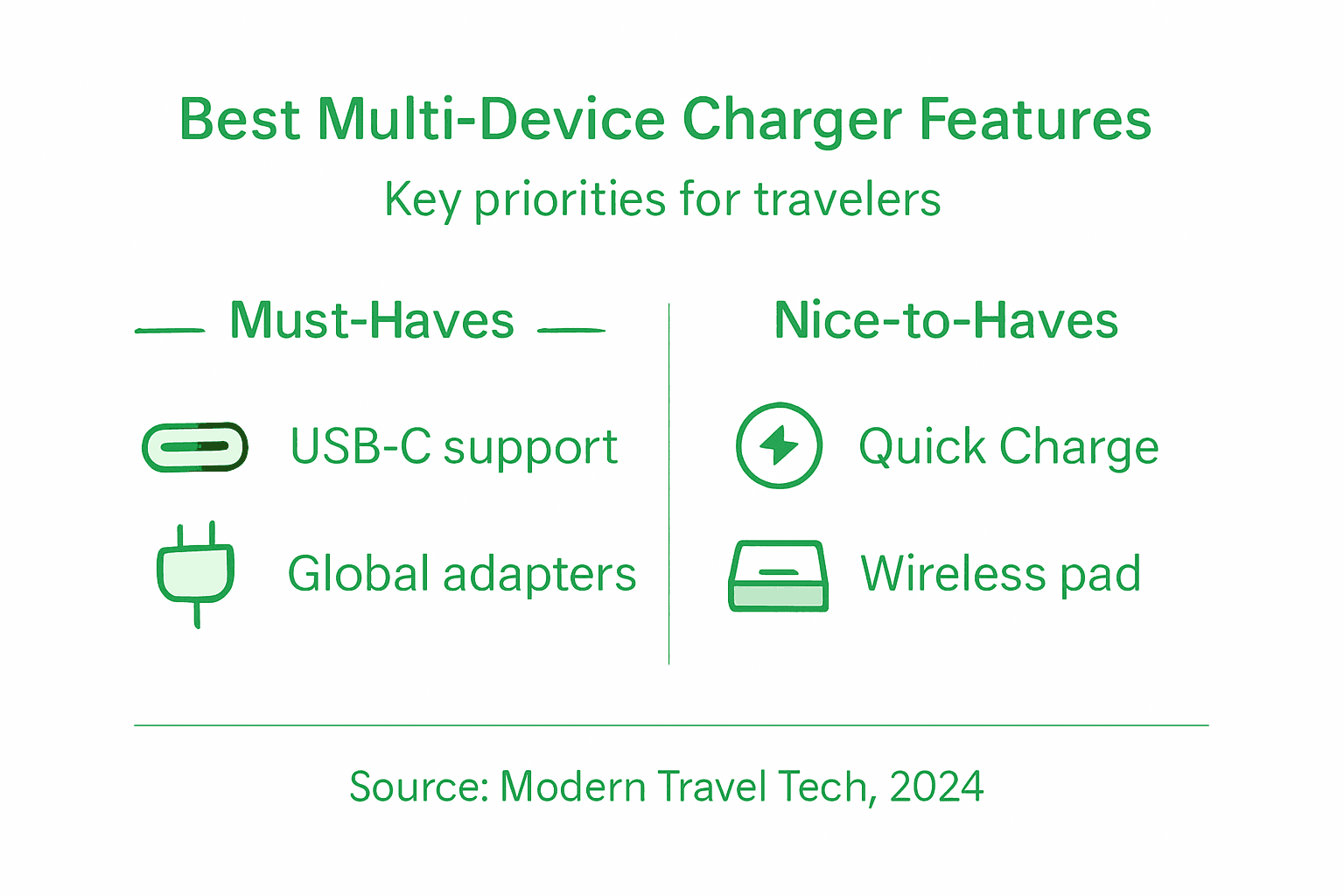
The travel context fundamentally shapes which charger features matter most. Someone spending five nights in hotels has completely different priorities than someone sleeping in hostels, trains, and shared accommodation where power outlets are contested resources. A business traveller making twice-monthly flights needs something different from a digital nomad working from cafés in various countries. Your charging strategy must account for where you’ll be, how long you’ll stay, and honestly—how much you value convenience versus weight savings in your luggage.
Scenario 1: Frequent short-haul business travel
Business travellers typically carry an iPhone, smartwatch, wireless earbuds, and increasingly a laptop or tablet for work. Your trips are predictable: airport to hotel to office and back. You’ll spend evenings in hotel rooms where power access isn’t an issue, but you desperately need charging during travel days when airport delays happen.
For this scenario, prioritise these factors:
- Fast charging above all else – you need devices charged to 80% in 30 minutes, not 90 minutes
- Compact size – it lives in your carry-on permanently, taking up minimal space
- Multiple USB-C ports – your work devices probably all use USB-C
- Sufficient wattage – at least 65W if you charge a MacBook or iPad alongside your phone
- Travel-ready design – something that looks professional and fits airport lounge aesthetics
You don’t need integrated wireless charging stations or four ports. A sleek 65W dual or triple USB-C charger handles your entire ecosystem. The investment pays dividends because you’ll use it on every trip, making it genuinely essential rather than optional. Portable charging solutions designed for mobility eliminate the need to hunt for outlets in departure lounges or hotel lobbies.
Business travellers who upgrade from single-port chargers to multi-device chargers report recovering 3–5 hours of travel time monthly that would’ve been spent hunting for power outlets.
Scenario 2: Extended backpacking and budget travel
Backpackers face entirely different constraints. You’re prioritising weight and size over everything else because you’ll carry your charger thousands of kilometres. You’re also navigating countries with different power standards, staying in hostels where multiple people compete for limited outlets, and potentially going 12+ hours without access to power.
Your requirements shift dramatically:
- Lightweight and ultra-compact – every gram matters when you’re carrying everything
- Universal voltage support – 100–240V for any country you visit
- Modest wattage – 30–45W is sufficient because you’re not in a hurry; you charge overnight
- Single USB-C plus USB-A ports – maximum device compatibility without extra weight
- International plug adapters – or a charger with multiple regional plugs built in
Backpackers benefit from a lightweight multi-device charger paired with an international travel adapter. A 30W charger weighs significantly less than a 100W model, and for someone charging devices overnight in a hostel dorm, the slower charging speed is irrelevant. The trade-off is obvious: you sacrifice speed for portability, which is the correct priority for extended travel.
To simplify your selection process, here is a quick comparison of multi-device charging solutions for different traveller types:
| Traveller Type | Recommended Wattage | Essential Ports | Key Priority |
|---|---|---|---|
| Business (Short-Haul) | 65W+ | 2–3 USB-C | Fast charging, compactness |
| Backpacker (Extended Stay) | 30–45W | 1 USB-C, 1 USB-A | Weight, universality |
| Digital Nomad (Long Stay) | 45–100W | Multiple USB-C, wireless pad | Versatile home/work setup |
| Contingency Planner | Power bank (25Wh+) | Universal cable mix | Backup power, flexibility |
Scenario 3: Nomadic working and extended stays
Digital nomads and long-term travellers occupy the middle ground. You need reliable charging for work—your laptop is your income—but you’re also prioritising long-term practicality over single-trip convenience. You’ll spend 2–4 weeks in each location, often renting apartments with proper desk space.
This scenario justifies investing in a hybrid approach:
- Carry a compact 45–65W USB-C charger for your daily commute and café work
- Keep an integrated wireless charging station in your accommodation for overnight charging
- Pack a lightweight power bank as backup for unpredictable situations
- Use your accommodation’s outlets for simultaneous charging when stationary
Long-term travel means you’re not constantly on the move like backpackers. You’ll spend evenings in your rental apartment where a larger charging station actually improves your quality of life. During working hours, the portable charger handles your immediate needs. This approach separates mobility (what you need during the day) from convenience (what you want at night).
Scenario 4: Unexpected situations and contingencies
No travel plan survives first contact with reality. Your flight delays eight hours. The train loses power for a region. Your hotel’s outlets malfunction. A sudden evacuation forces you to leave your accommodation without full battery.
Protect yourself against these scenarios by carrying:
- A portable power bank (25–30Wh) as your insurance policy – this charges your most critical device if chargers fail
- Spare USB-C to USB-A cables – they weigh almost nothing but solve compatibility problems
- Knowledge of your devices’ actual charging speeds – you’ll know immediately if something’s wrong
- Backup contact information for your charger manufacturer – some offer emergency support programmes
The best travellers aren’t the ones with perfect setups. They’re the ones who’ve prepared for imperfection.
Multi-device chargers simplify travel complexity, but redundancy protects against Murphy’s Law—always carry a backup power solution alongside your main charger.
Pro tip: Before any trip longer than three days, charge all your devices to 100% using your selected charger and time how long it takes—this reveals real-world performance and prevents surprises when you desperately need quick charging at an airport.
Safety considerations and common pitfalls
A charger that damages your device isn’t just inconvenient—it’s dangerous. Your phone battery sits millimetres from your face, your iPad charges next to your bed, and your laptop rests on your lap during flights. When chargers fail, they don’t fail quietly. They overheat, they swell, they occasionally catch fire. This isn’t scaremongering; it’s why safety standards exist and why you should take charger selection seriously rather than grabbing whatever is cheapest on the shelf.
The fundamental problem with low-quality multi-device chargers is that they can’t communicate properly with your devices. Your modern iPhone or iPad contains sophisticated battery management systems that expect specific charging protocols. A cheap charger that doesn’t speak that language might overcharge your battery, causing it to swell or degrade rapidly. Worse, it might not recognise when your device is fully charged, continuing to push current into a saturated battery. Over weeks, this degrades your device’s battery health catastrophically. Over minutes, in extreme cases, it causes thermal runaway—the battery overheats uncontrollably.
Understanding certified protection systems
Certified chargers employ protective measures against overcharge, discharge, current surges, and temperature extremes. These aren’t marketing buzzwords; they’re actual electronic components and firmware systems. A quality multi-device charger contains multiple layers of protection: a fuse that disconnects power if current exceeds safe levels, temperature sensors that throttle charging if the charger gets too hot, and voltage regulation circuits that ensure precise output.
When comparing chargers, look for these certifications:
- CE marking (European Union) – indicates compliance with European electrical safety standards
- FCC certification (United States) – confirms electromagnetic compatibility and safety
- UL certification – independent testing verifying safety and performance
- RoHS compliance – confirms the charger doesn’t contain hazardous substances
- Manufacturer warranty – reputable companies stand behind their products with actual warranties
Certifications aren’t perfection guarantees, but they indicate a manufacturer has submitted their products to third-party testing. Counterfeit chargers often carry fake certification marks—they look identical to genuine ones if you’re not examining them closely. A charger that costs £8 when competitors charge £25 for the same form factor probably isn’t a bargain; it’s probably counterfeit or using substandard components.
Investing in tested, certified multi-device chargers costs perhaps £15 more upfront than the cheapest alternative, but protects a £900 iPhone from £80 battery replacement or catastrophic failure.
Common pitfalls that compromise safety
Water damage ranks among the most overlooked charger hazards. You’re charging your phone in a hotel bathroom, someone knocks over a water glass, or humidity in a hostel shower room causes condensation inside your charger. Water and electricity are fundamentally incompatible. Quality chargers include moisture-resistant construction and sometimes drain holes, but cheap chargers absorb water like sponges. Never charge devices in bathrooms unless absolutely necessary, and always allow wet chargers to dry completely before using them again.
Another common pitfall is mismatched voltage and current specifications. Your iPhone needs 5V, but some budget chargers output 5.2V or 4.8V. Your iPad benefits from 20W charging, but a charger rated at 18W continuously underdelivers. These mismatches don’t cause immediate failures; they cause slow degradation. Your iPad charges slightly slower, your battery health decreases fractionally each cycle, and within 18 months you’re replacing the battery when you shouldn’t have needed to.
Proper charger socket connections prevent mechanical damage and overheating during use. Plugs that don’t fit your outlets properly can cause arcing—visible sparks—which damages both the charger and the outlet. If your charger wiggles in a socket, if the connection feels loose, if you hear crackling sounds, stop using it immediately. Damaged plugs represent active fire hazards.
These mistakes damage safety:
- Using third-party chargers with no brand recognition or warranty
- Charging devices whilst they’re in sealed cases (traps heat)
- Leaving chargers plugged in constantly when not in use
- Ignoring visible damage like frayed cables or cracked casings
- Buying chargers from unofficial sellers or marketplace resellers
- Trusting chargers that generate excessive heat during use
Specific practices for travel safety
Travel amplifies charger risks because you’re using unfamiliar electrical infrastructure. European sockets differ from British ones differ from American ones. Some countries have inconsistent voltage regulation—you might see 240V fluctuating to 220V or higher. Using an incorrect adapter that doesn’t match your charger’s voltage specifications is genuinely dangerous.
When travelling internationally, purchase your travel adapter from the same manufacturer as your charger, or verify compatibility explicitly. A quality international adapter shouldn’t just fit; it should actively regulate voltage to protect your charger. Basic adapters are passive connectors—they just change the shape of the plug. Quality adapters include voltage conversion or regulation, protecting your devices from electrical variations.
Inspect your charger before every trip:
- Look for visible damage to the cable or casing
- Check that the plug fits firmly in sockets without wiggling
- Feel the charger after 10 minutes of use—it should be warm, not hot
- Verify certification markings are clear and legitimate-looking
- Test charging speed—if it’s dramatically slower than before, something’s wrong
Charger failures during travel are impossible to fix immediately. Preventing failure through regular inspection and using certified equipment is infinitely easier than replacing devices or managing electrical fires abroad.
Pro tip: Photograph your charger’s certification markings and specifications before travelling, then cross-reference them against the manufacturer’s official website—this confirms you’re using genuine equipment and protects you from accidental counterfeits.
Discover Reliable Multi-Device Charging Solutions for Modern Travel
Travelling with multiple devices can be frustrating when your charger fails to meet power demands or lacks compatibility with your Apple and Android gadgets. The article highlights challenges like insufficient wattage, poor power distribution, and safety concerns that lead to slow charging or, worse, battery damage. At Charg-R, we understand these pain points and specialise in providing high-quality, multi-port chargers that ensure fast, safe, and simultaneous charging across all your devices. Whether you carry an iPhone, iPad, MacBook, or multiple Android devices, our products feature smart power allocation, temperature regulation, and universal compatibility so you stay powered wherever you go.
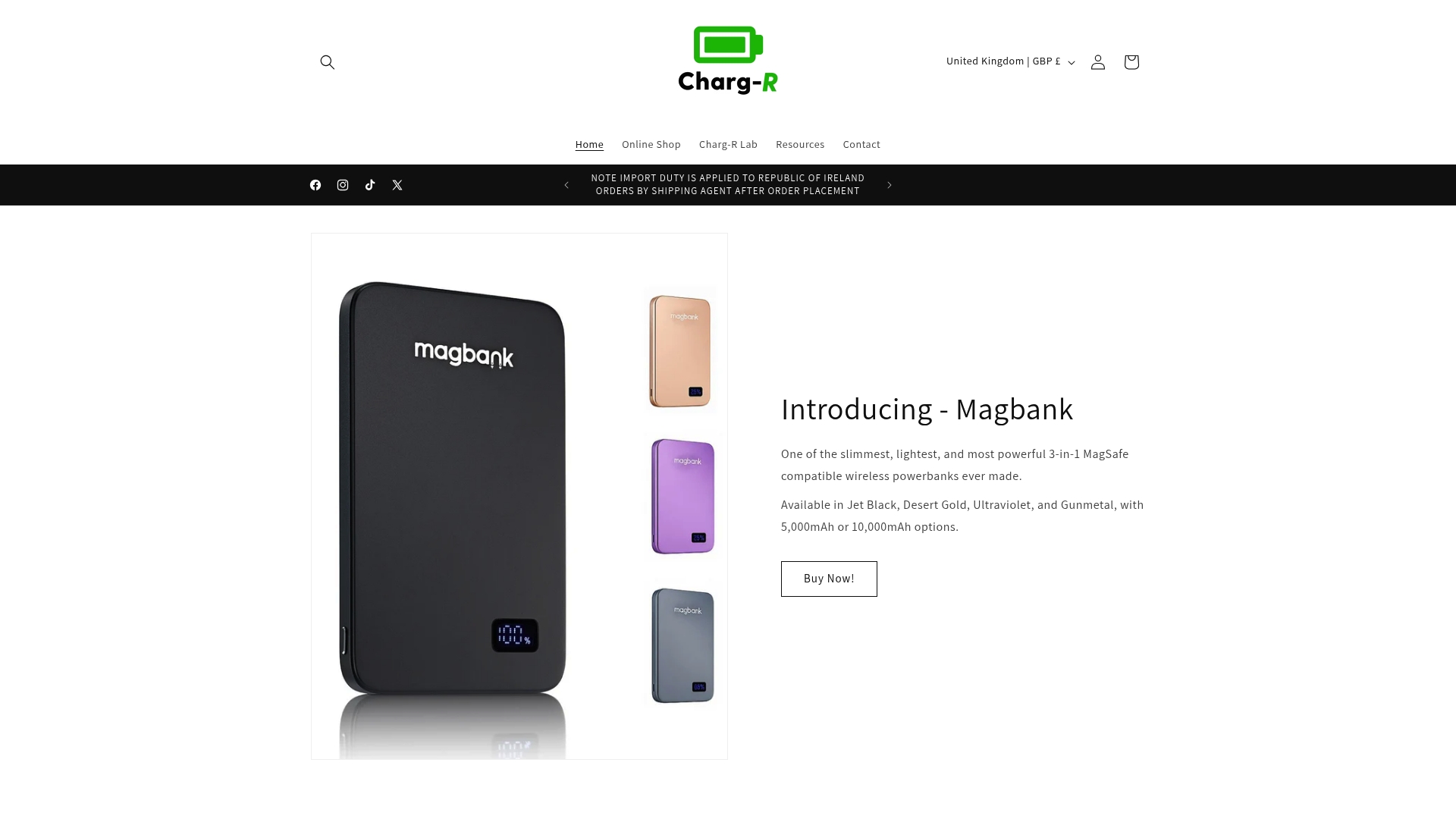
Make your journeys stress-free by choosing from our range of portable chargers, wireless charging stations, and travel adapters designed for convenience and efficiency. Act now to simplify your travel tech setup and protect your valuable devices with trusted solutions. Explore our latest collection at Charg-R and be ready for your next trip with confidence. Start powering all your devices optimally today at Charg-R and experience the difference intelligent charging makes.
Frequently Asked Questions
What is a multi-device charger?
A multi-device charger is a power adapter with multiple USB ports or a combination of USB and proprietary connectors, allowing you to charge several devices simultaneously, making it a practical solution for travellers.
How does power distribution work in multi-device chargers?
Power distribution in multi-device chargers varies; some use static power distribution, while others employ smart allocation, dynamically adjusting power based on each device’s requirements to optimise charging speeds and prevent bottlenecks.
Can using a multi-device charger damage my devices?
No, using a reputable multi-device charger with proper voltage regulation will not damage your devices. They control the amount of power they accept, preventing any excess current from being forced through.
What factors should I consider when choosing a multi-device charger for travel?
When selecting a multi-device charger, consider the total wattage available, the number of ports, compatibility with fast charging standards, and whether it supports the specific devices you carry to ensure efficient and safe charging.
Recommended
- What Is Portable Charging and Why It Matters – Charg-R
- Role of USB-C in Charging – Efficiency for Modern Tech – Charg-R
- Master Portable Charging Workflow for Efficient Mobility – Charg-R
- GoPlug Max 100W International travel Adapter with Auto Resetting Fuse – Charg-R
- 7 Trendy Travel Accessories You Can’t Live Without – Be Juliet
- Top Anti-Theft Crossbody Bags for Travel in the UK | RFID Security – Troop London